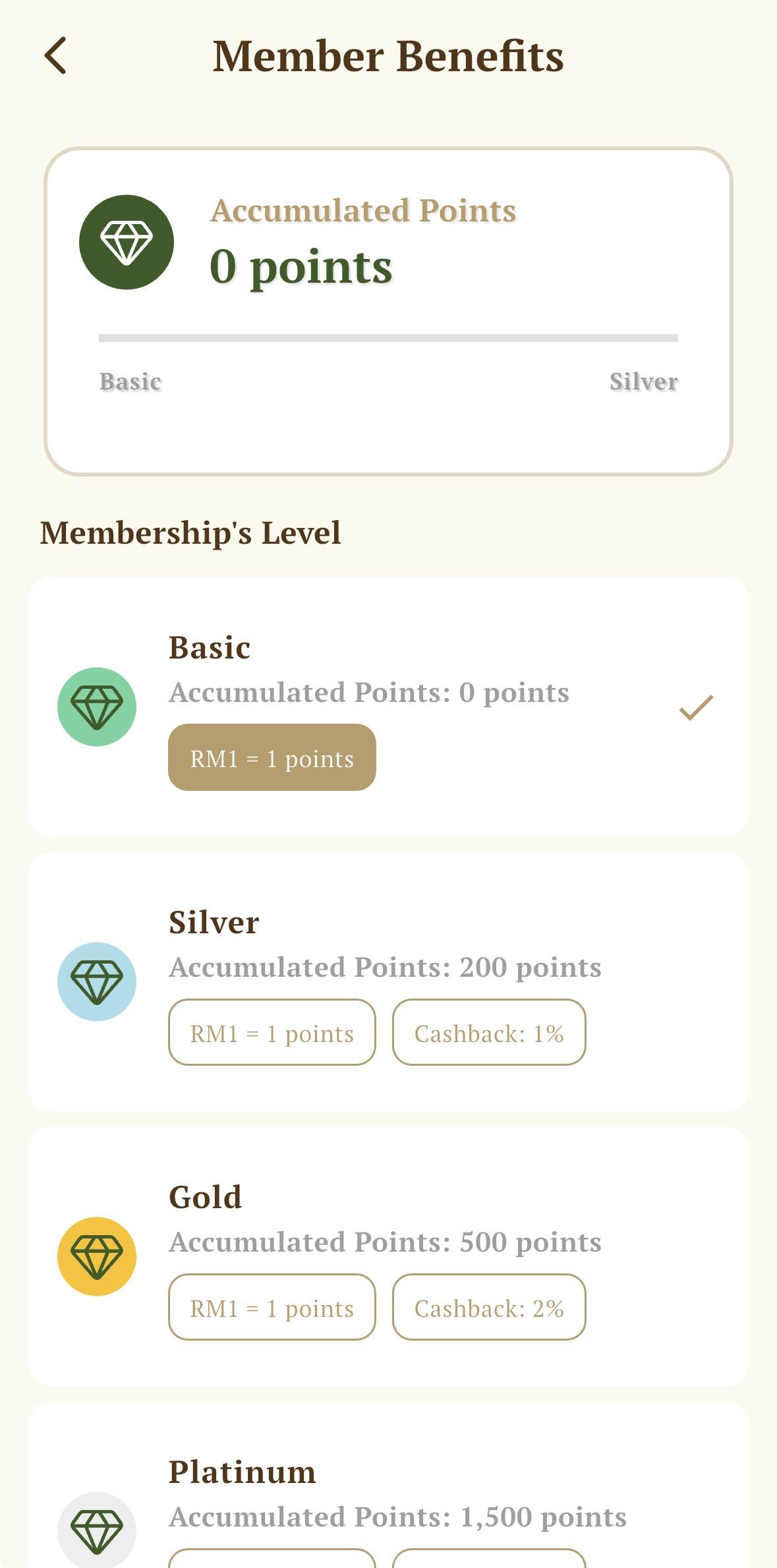
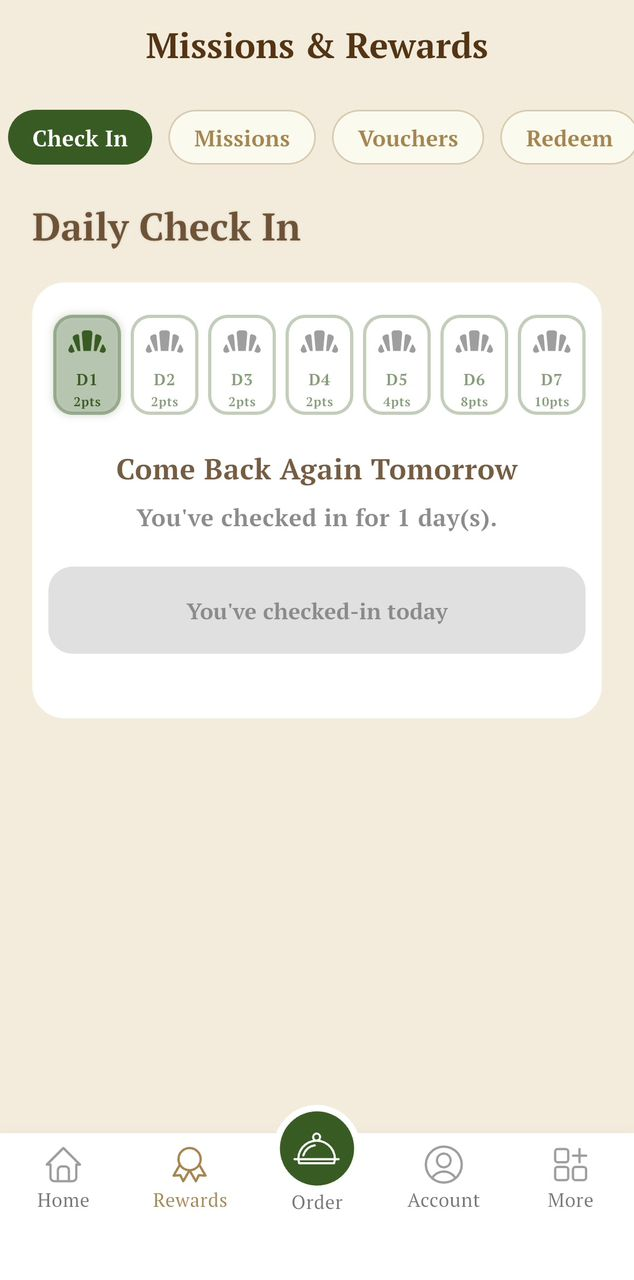
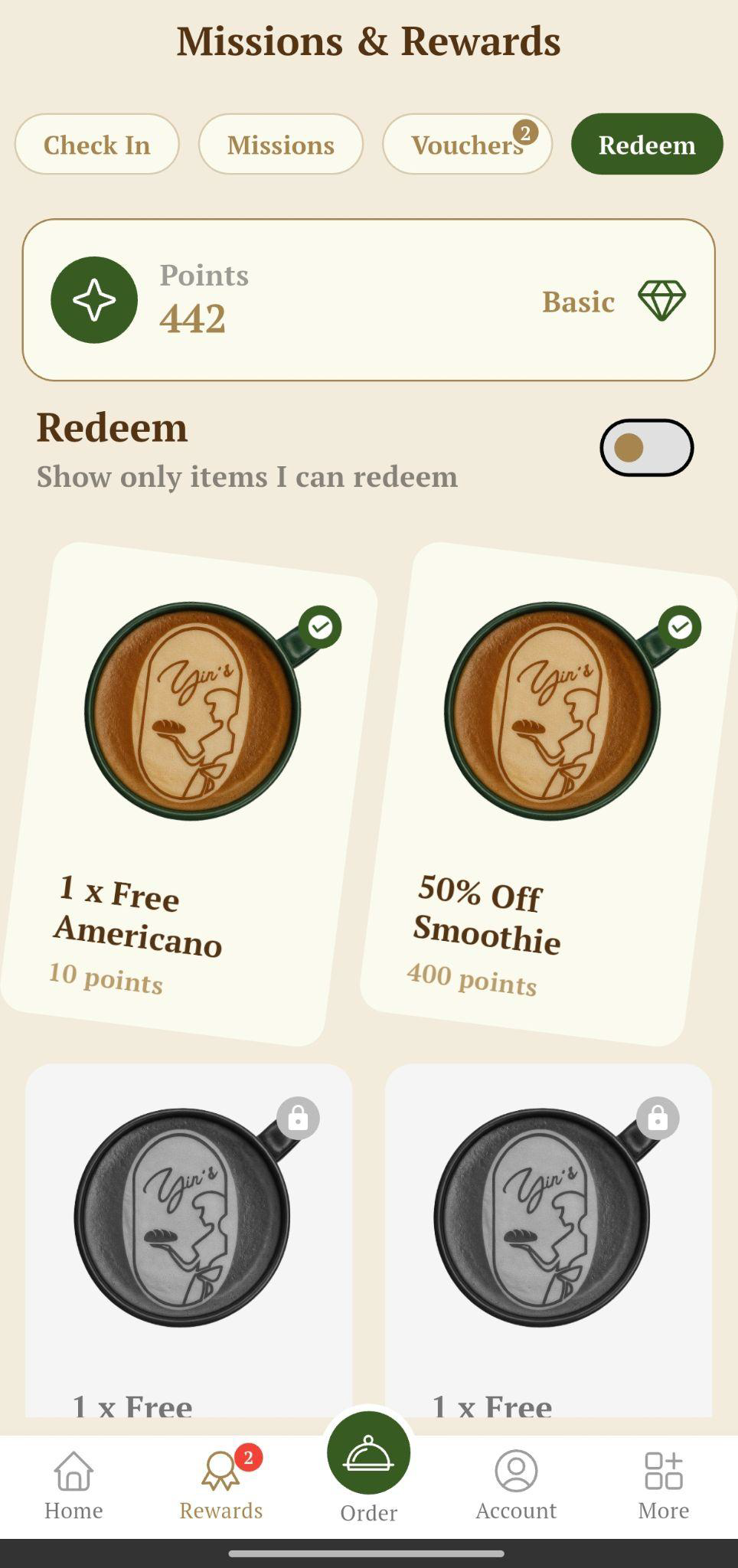
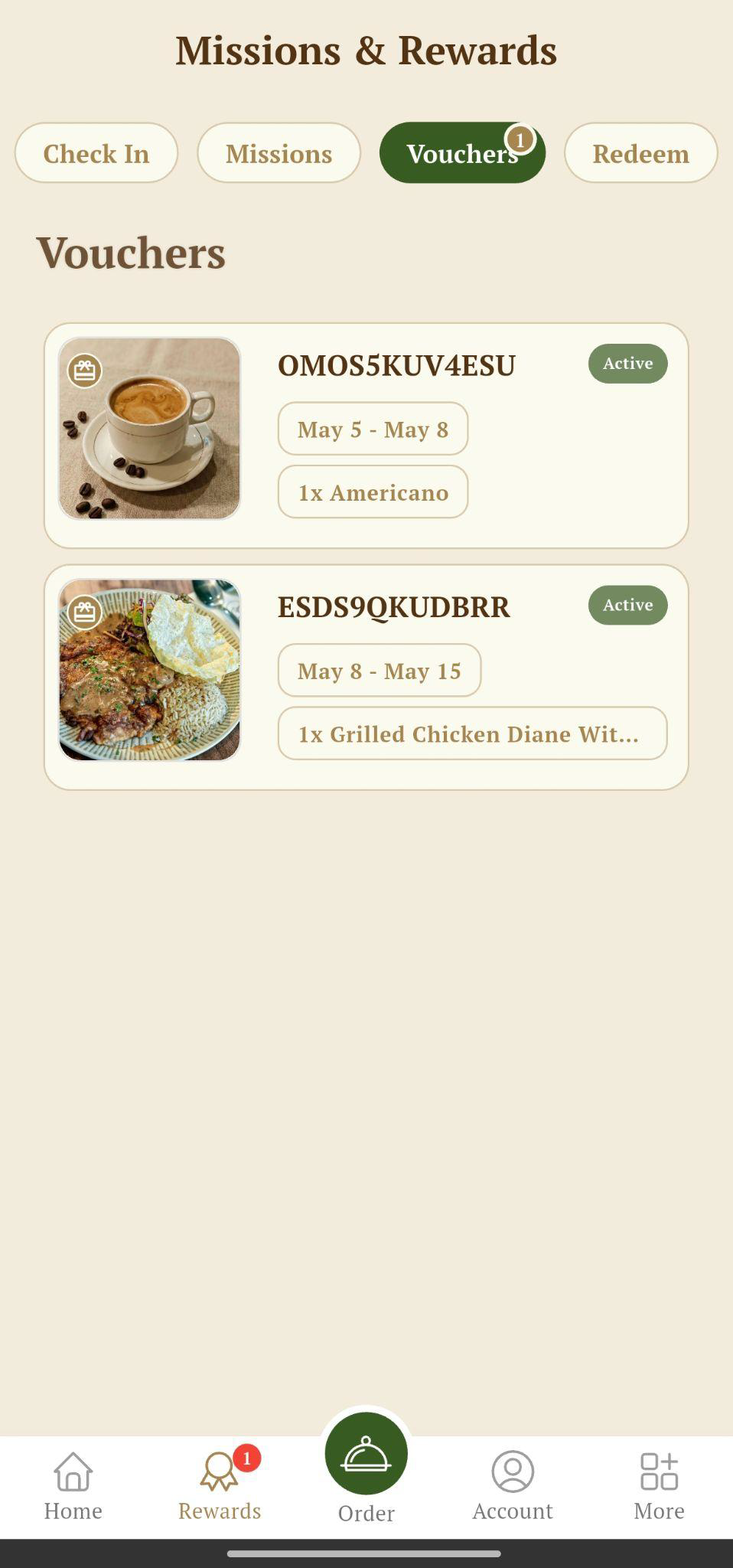
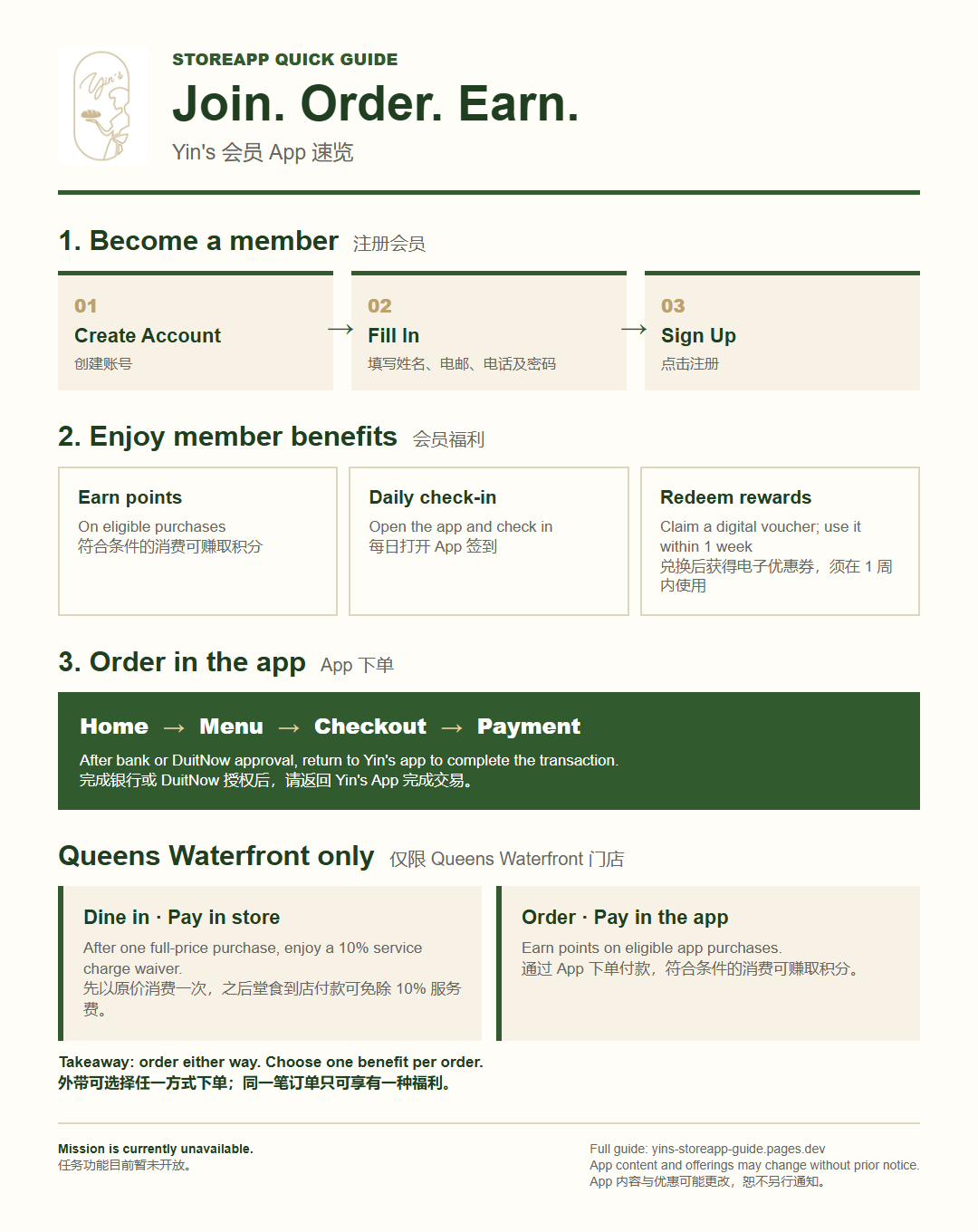
Registering as a Yin's member gives you active points, daily check-in, redeem rewards, and digital voucher benefits now. Mission is currently unavailable.注册成为 Yin's 会员后,您目前可享有积分、每日签到、兑换奖励和电子优惠券福利。任务功能目前暂未开放。
Benefits of Registering
Earn points with purchases.消费即可赚取积分。
Daily check-in.每日签到。
Redeem rewards and receive digital vouchers.兑换奖励并获得电子优惠券。
After you redeem an item on the Redeem page, a voucher will be created for you to use within 1 week from claiming it.当您在 Redeem 页面兑换商品后,系统会生成一张优惠券,您需要在领取后的 1 周内使用。
Future Benefits
Mission.任务奖励。
We reserve the right to change the app content and offerings without prior notice.我们保留在不另行通知的情况下更改 App 内容与优惠的权利。
Earn Points With PurchasesDaily Check-inRedeem RewardsDigital Vouchers
Page 2
Method: register through the app
Follow the three-step flow below to become a Yin's member in the app.按照以下三个步骤,即可在 App 中注册成为 Yin's 会员。
We reserve the right to change the app content and offerings without prior notice.我们保留在不另行通知的情况下更改 App 内容与优惠的权利。
1Create Account
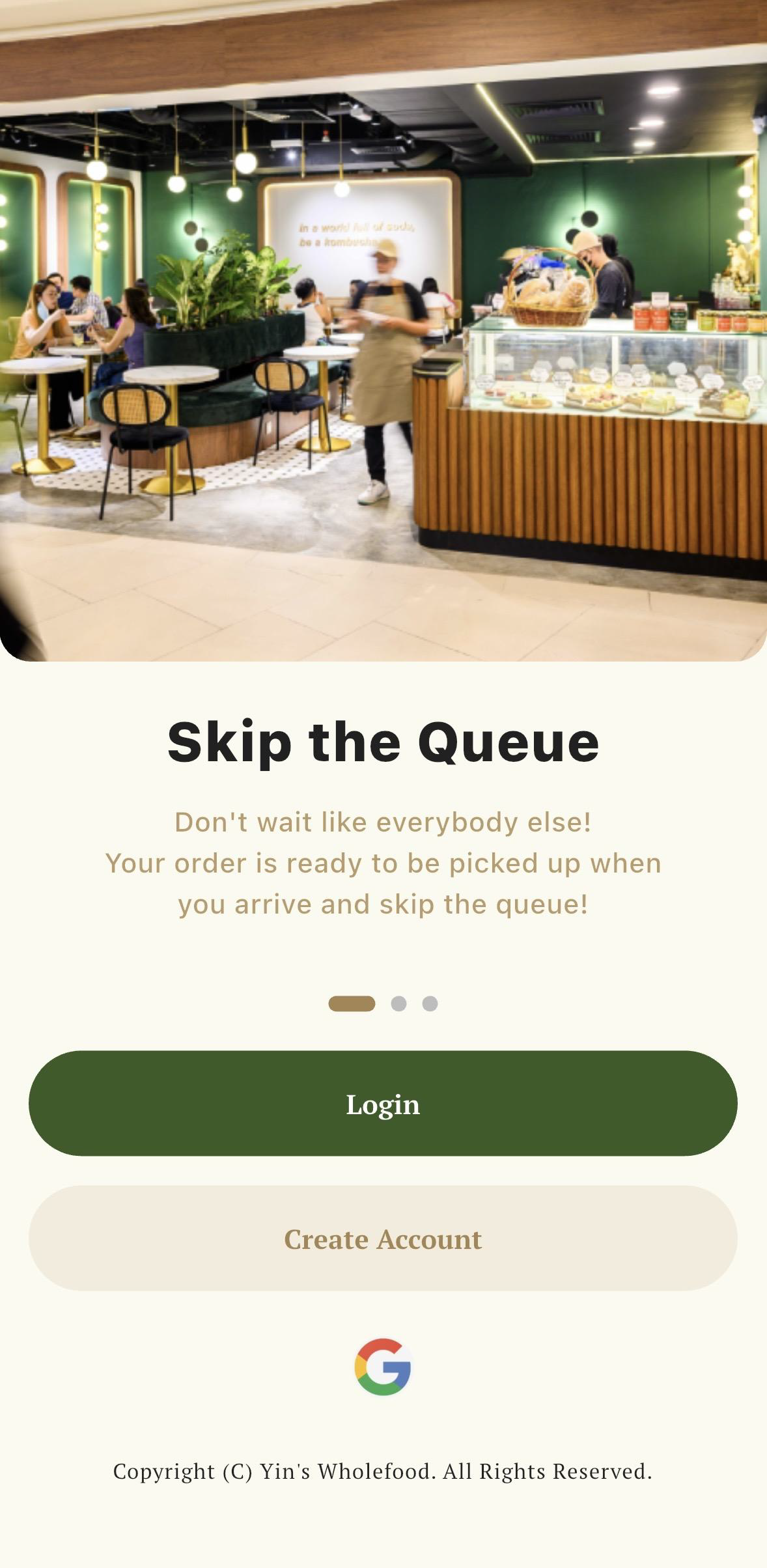
Start from the opening screen and tap Create Account.从首页开始,点击 Create Account(创建账号)。
→
2Fill In
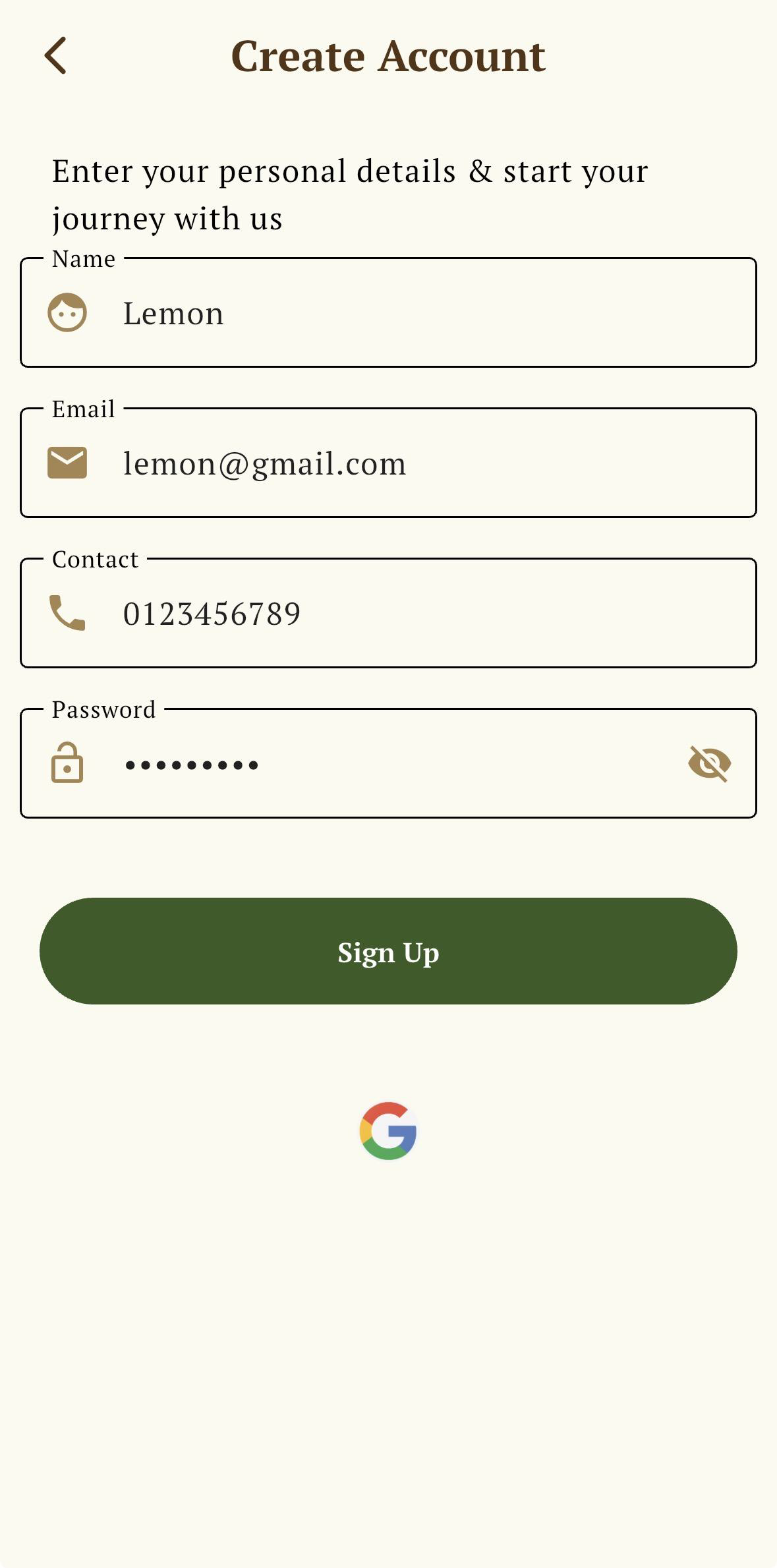
Enter your name, email, contact number, and password.填写姓名、电邮、联络号码和密码。
→
3Sign Up
Tap Sign Up to complete registration.点击 Sign Up(注册)完成会员注册。
Page 3
How to use the app
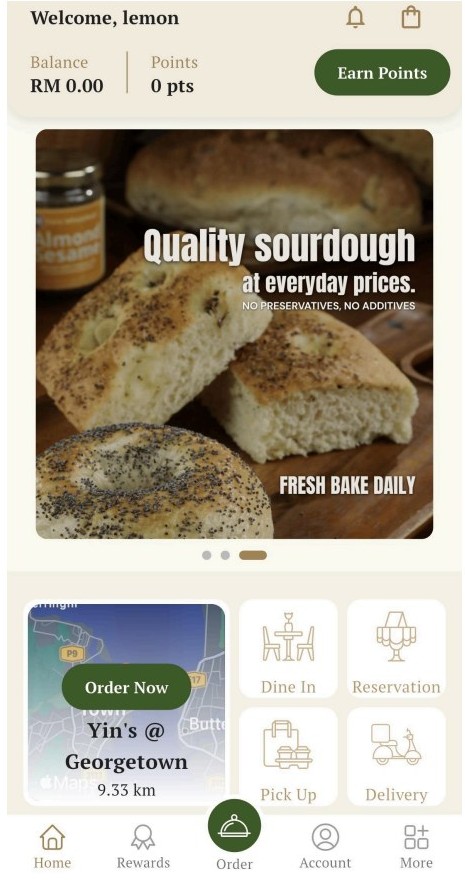
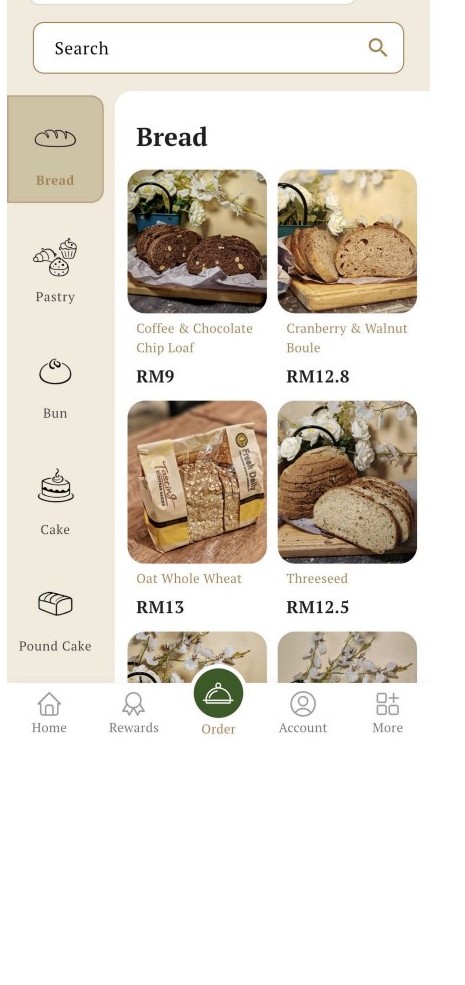
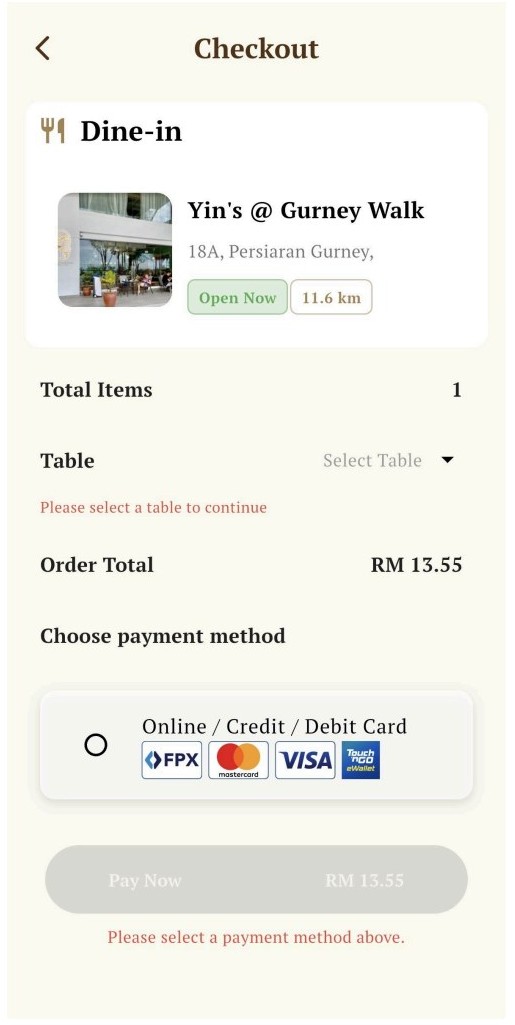
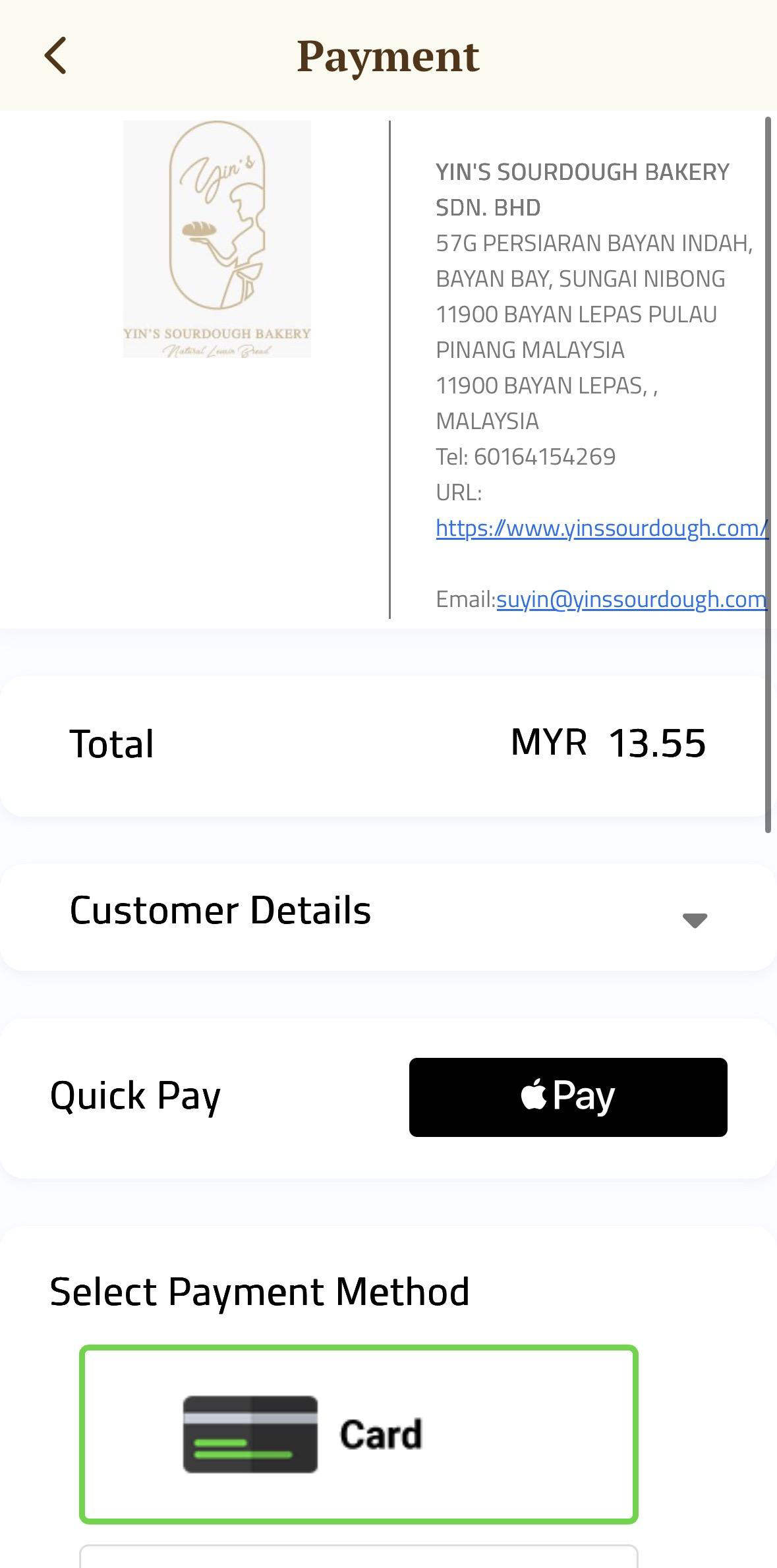
For app ordering, start from the home page, choose items from the menu, confirm checkout, then complete payment.使用 App 下单时,请从主页开始,选择菜单商品,确认结账,然后完成付款。
Dine in
Select a store, browse the menu, add items, then choose table number and payment method.选择门店,浏览菜单并加入商品,然后选择桌号和付款方式。
Delivery
Enter delivery location, confirm items, choose delivery time, and complete address details.输入外送地点,确认商品,选择送达时间,并填写完整地址。
Reservation
Select store, guest count, booking date and time, and add remarks if needed.选择门店、人数、预约日期和时间,如有需要可填写备注。
Table QR
Scan the table QR to link the order to the restaurant location and table number.扫描桌号二维码,即可将订单连接到对应的餐厅地点和桌号。
Payment note
After bank or DuitNow approval, you must return to Yin's app to complete the transaction.完成银行或 DuitNow 授权后,您必须回到 Yin's App 才能完成交易流程。
We reserve the right to change the app content and offerings without prior notice.我们保留在不另行通知的情况下更改 App 内容与优惠的权利。
Home Page
→
Menu
→
Checkout
→
Payment
Page 4
Frequently asked questions
Quick answers for existing members, discounts, app issues, and the difference between redeemable points and tier progress.以下是旧会员、折扣、App 问题,以及可兑换积分与会员等级积分差异的常见问题说明。
How do old members retrieve their points?
Old members from the previous Yin's app or FeedMe membership system should register with their previously registered email and phone number to support a smooth points transition.旧 Yin's App 或 FeedMe 会员系统的旧会员,请使用之前注册的电邮和电话号码重新注册,以便积分顺利转移。
Can members still use corporate or resident discounts?
No. Customers may use either in-store discounts or app member benefits, but not both at the same time.不可以。顾客只能选择店内折扣或 App 会员福利其中一种,不能同时享有两项优惠。
Who should customers contact for app issues?
If customers have app-related issues, please leave their registered phone number, email address, and name. Our HQ will check accordingly within 3-5 business days.如顾客遇到 App 相关问题,请留下注册电话号码、电邮地址和姓名。总部将会在 3-5 个工作日内进行查询与处理。
What is the difference between Points and Accumulated Points?
Points are the redeemable balance customers can spend on vouchers or rewards. They include points from purchases, daily check-ins, and rewards. Accumulated Points are used for membership tier progress and count only points earned from actual purchases.Points 是可兑换余额,可用于兑换优惠券或奖励,来源包括消费、每日签到和奖励。Accumulated Points 则用于会员等级进度,只计算实际消费所获得的积分。
How long does my tier last?
Your membership tier is checked using a rolling 2-month window: the current month plus the previous month. Think of it like a moving basket. Every day, the app looks at the valid Accumulated Points in this basket to decide your tier.您的会员等级会根据滚动 2 个月计算,即当前月份加上上一个月份。可以把它想成一个会移动的积分篮子:App 会查看这个篮子里的有效 Accumulated Points 来决定您的会员等级。
Each tier has its own required Accumulated Points level. If the points in your current 2-month basket stay within a tier's requirement, you remain in that tier. If the total drops below that tier's requirement, your tier may be adjusted based on the points that are still valid in the basket.每个会员等级都有各自需要达到的 Accumulated Points。只要您当前 2 个月积分篮子里的积分仍符合该等级要求,您就会保留在该等级。如果总积分低于该等级要求,会员等级可能会根据篮子里仍然有效的积分进行调整。
Rolling 2-month tier window滚动 2 个月会员等级计算
Counts: May 1 - Jun 17Selected date: Jun 17
MarOlder month
AprOlder month
MayPrevious month
JunCurrent month
JulNext month
Window startsMay 1计算从上个月的第 1 天开始。
Older points drop offBefore May 1早于这个日期的积分不计算进会员等级。
On Jun 17, your tier is checked using purchase-based Accumulated Points from May 1 to Jun 17. April and earlier do not count. If this total still meets your tier requirement, your tier continues.在 6 月 17 日,系统会使用 5 月 1 日至 6 月 17 日期间由消费获得的 Accumulated Points 来检查您的会员等级。4 月及更早日期不会计算。如果这段期间的总积分仍符合该等级要求,您的等级就会继续保留。
We reserve the right to change the app content and offerings without prior notice.我们保留在不另行通知的情况下更改 App 内容与优惠的权利。
Page 5
Queens Waterfront member offer
This offer applies only at Yin's Queens Waterfront outlet. Choose the benefit that fits how you order and pay.此优惠仅适用于 Yin's Queens Waterfront 门店。请根据您的下单及付款方式选择合适的会员福利。
Dine in and pay in store
After at least one full-price purchase, enjoy a 10% discount through a service charge waiver when you pay in store for dine-in items.至少先以原价消费一次后,堂食并到店付款可享免除 10% 服务费的优惠。
Order and pay through the app
Earn points on eligible purchases made through the app. The in-store discount and app member benefits cannot be combined for the same order.通过 App 下单及付款,符合条件的消费可赚取积分。同一笔订单不能同时享有店内折扣与 App 会员福利。
Takeaway
You may order and pay in store or through the app for takeaway.外带可选择到店下单付款,或通过 App 下单付款。